> ## Documentation Index
> Fetch the complete documentation index at: https://docs-staging-chore-management-api-autoupdate.mintlify.site/llms.txt
> Use this file to discover all available pages before exploring further.

> Learn how to configure your JWT Connection to sign, verify or decode JSON Web Tokens.

# JWT Vault Connection

## Configure your JWT Vault connection

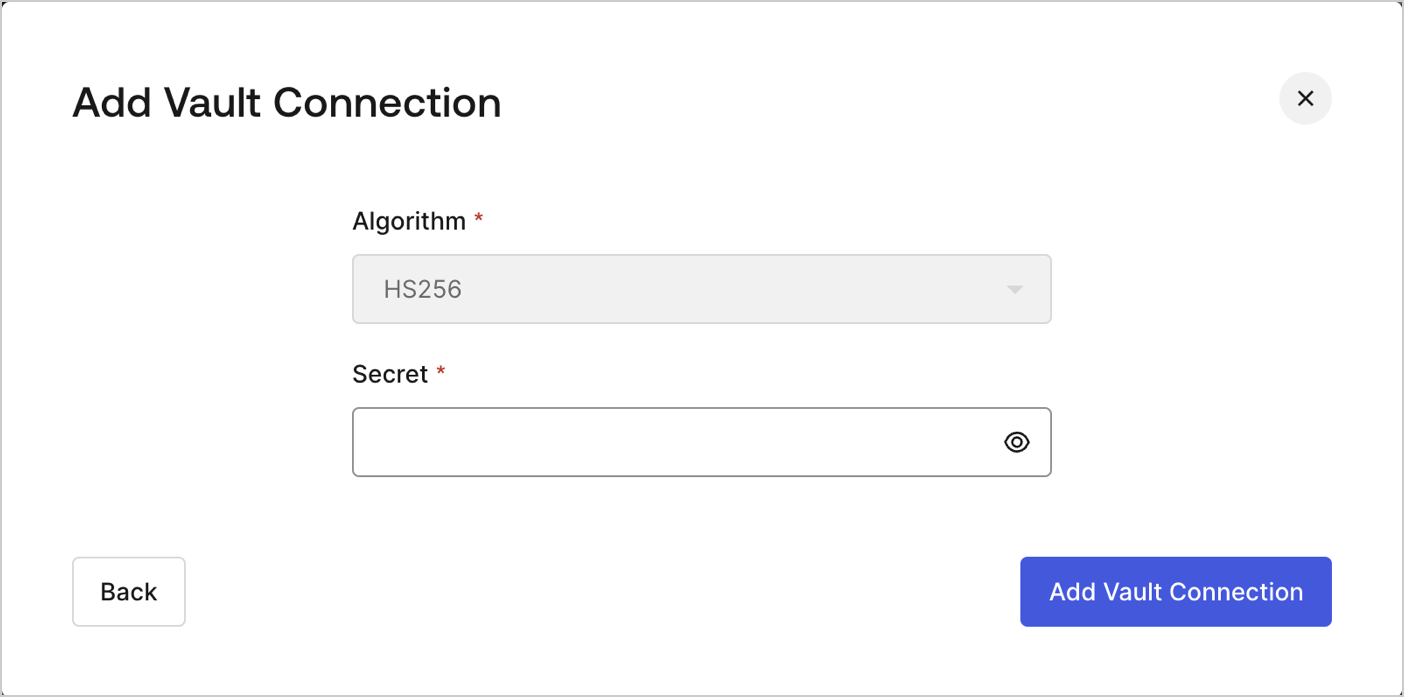
To configure an JWT Vault Connection for your Flows JWT Actions to sign, decode, and verify JSON Web Tokens, you need to set the required parameters.
<Frame>
  <img src="https://mintcdn.com/docs-staging-chore-management-api-autoupdate/CHcdW8myicgKbZ7q/docs/images/customize/forms/vaults/jwt-vault-connection.png?fit=max&auto=format&n=CHcdW8myicgKbZ7q&q=85&s=742658ca2ee5b88b13a6a0a13edd91e5" alt="Dashboard > Actions > Forms > Vault > JWT" data-og-width="1404" width="1404" data-og-height="697" height="697" data-path="docs/images/customize/forms/vaults/jwt-vault-connection.png" data-optimize="true" data-opv="3" srcset="https://mintcdn.com/docs-staging-chore-management-api-autoupdate/CHcdW8myicgKbZ7q/docs/images/customize/forms/vaults/jwt-vault-connection.png?w=280&fit=max&auto=format&n=CHcdW8myicgKbZ7q&q=85&s=1833d24c268081029865a3bc539e2d9e 280w, https://mintcdn.com/docs-staging-chore-management-api-autoupdate/CHcdW8myicgKbZ7q/docs/images/customize/forms/vaults/jwt-vault-connection.png?w=560&fit=max&auto=format&n=CHcdW8myicgKbZ7q&q=85&s=2c31338c5ccff2ac19ebd725358adf17 560w, https://mintcdn.com/docs-staging-chore-management-api-autoupdate/CHcdW8myicgKbZ7q/docs/images/customize/forms/vaults/jwt-vault-connection.png?w=840&fit=max&auto=format&n=CHcdW8myicgKbZ7q&q=85&s=5def2669fa17864488ae8e35e7d2232d 840w, https://mintcdn.com/docs-staging-chore-management-api-autoupdate/CHcdW8myicgKbZ7q/docs/images/customize/forms/vaults/jwt-vault-connection.png?w=1100&fit=max&auto=format&n=CHcdW8myicgKbZ7q&q=85&s=0f5d4ab1b23758a2a1bcce0f00af8551 1100w, https://mintcdn.com/docs-staging-chore-management-api-autoupdate/CHcdW8myicgKbZ7q/docs/images/customize/forms/vaults/jwt-vault-connection.png?w=1650&fit=max&auto=format&n=CHcdW8myicgKbZ7q&q=85&s=6f73048c4a075f7b0656983ac9a7bb7e 1650w, https://mintcdn.com/docs-staging-chore-management-api-autoupdate/CHcdW8myicgKbZ7q/docs/images/customize/forms/vaults/jwt-vault-connection.png?w=2500&fit=max&auto=format&n=CHcdW8myicgKbZ7q&q=85&s=0c2f8abe13e04c07c8dd2800d7bfabe3 2500w" />
</Frame>

## Input settings

| Parameter | Description                                                 |
| --------- | ----------------------------------------------------------- |
| Secret    | Secret to be used in the HS256 algorithm to encode the JWT. |
