> ## Documentation Index
> Fetch the complete documentation index at: https://docs-staging-chore-management-api-autoupdate.mintlify.site/llms.txt
> Use this file to discover all available pages before exploring further.
# Twilio
> Utilisez les actions Twilio pour envoyer des SMS et passer des appels à l’aide de Twilio.
Cette liste d’actions Twilio vous permet d’envoyer des SMS et de passer des appels en utilisant Twilio comme fournisseur.
## Configurer la connexion à votre coffre-fort
Pour configurer une connexion au coffre-fort pour vos actions Twilio, vous aurez besoin d’un **SID de compte** et d’un **jeton d’authentification** :
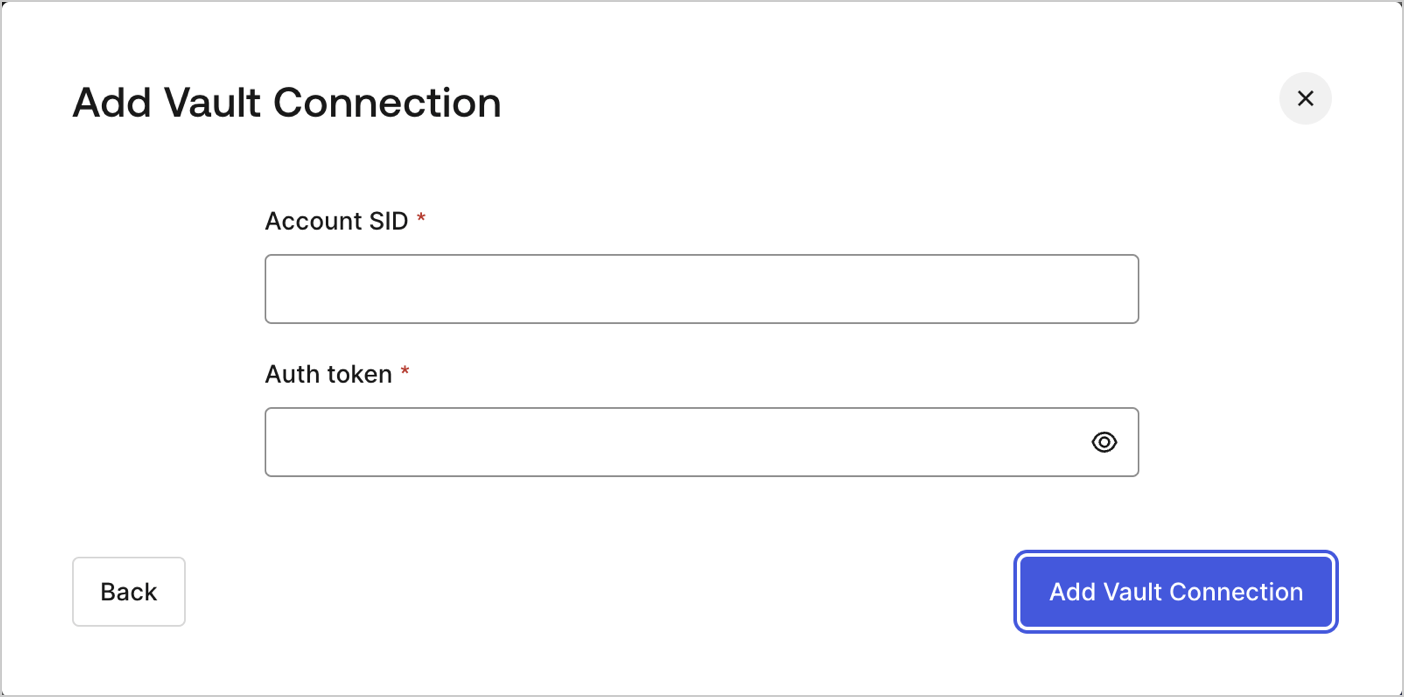 Ils peuvent être trouvés sur le [tableau de bord de la console de Twilio](https://console.twilio.com/).
## Envoyer un SMS
Envoie un SMS.
Ils peuvent être trouvés sur le [tableau de bord de la console de Twilio](https://console.twilio.com/).
## Envoyer un SMS
Envoie un SMS.
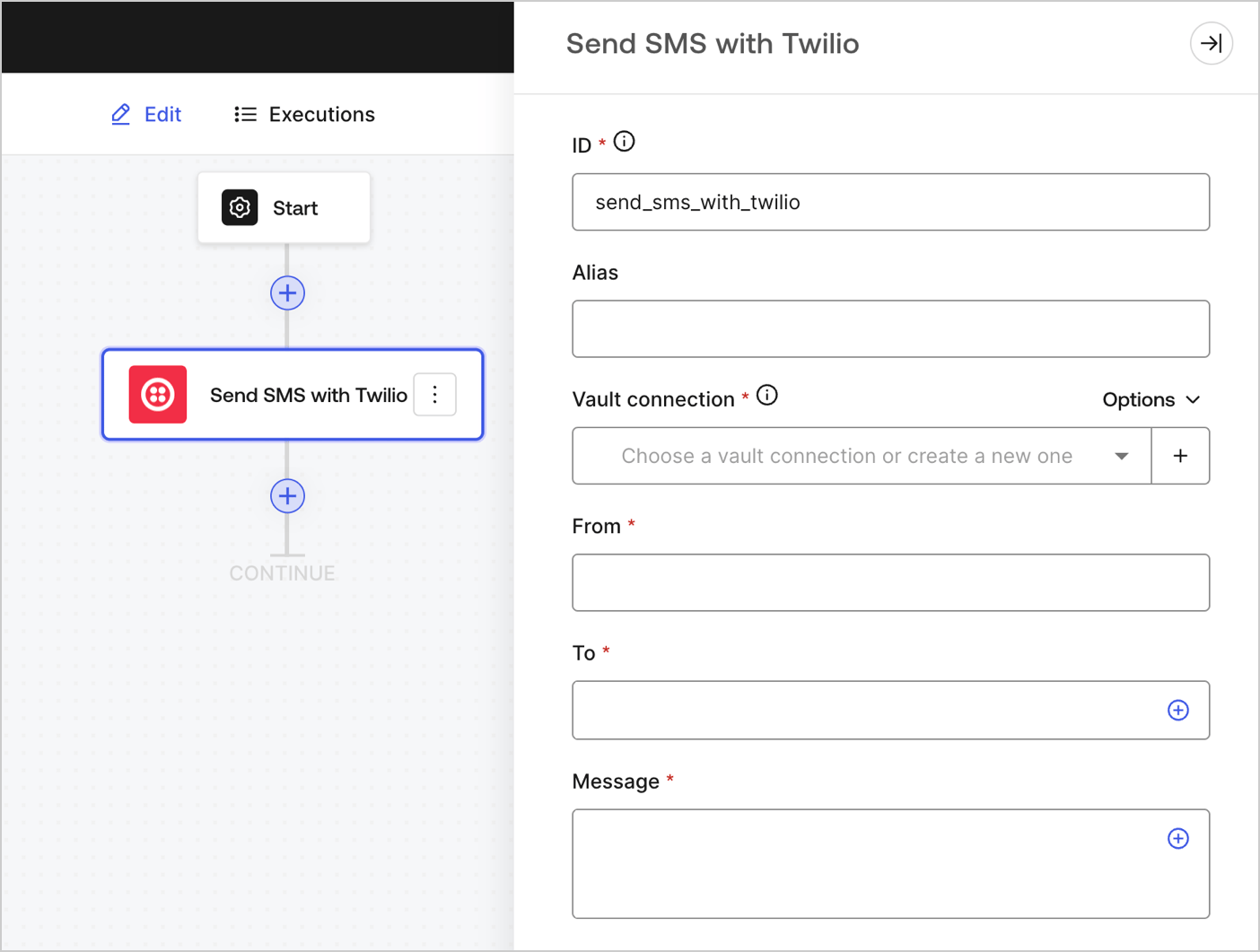 ### Paramètres de saisie
| Paramètre | Description |
| --------------------- | ---------------------------------------------------------------------------------------------------------- |
| De (obligatoire) | Le nom de l’expéditeur du SMS. |
| À (obligatoire) | Le numéro de téléphone de destination indiqué dans le [format E.164](https://en.wikipedia.org/wiki/E.164). |
| Message (obligatoire) | Le contenu du corps du SMS. |
### Paramètres de sortie
Vous trouverez tous les codes d’état attendus dans la [documentation de Twilio](https://www.twilio.com/docs/messaging/api/message-resource#message-status-values).
## Faire un appel
Fait un appel.
### Paramètres de saisie
| Paramètre | Description |
| --------------------- | ---------------------------------------------------------------------------------------------------------- |
| De (obligatoire) | Le nom de l’expéditeur du SMS. |
| À (obligatoire) | Le numéro de téléphone de destination indiqué dans le [format E.164](https://en.wikipedia.org/wiki/E.164). |
| Message (obligatoire) | Le contenu du corps du SMS. |
### Paramètres de sortie
Vous trouverez tous les codes d’état attendus dans la [documentation de Twilio](https://www.twilio.com/docs/messaging/api/message-resource#message-status-values).
## Faire un appel
Fait un appel.
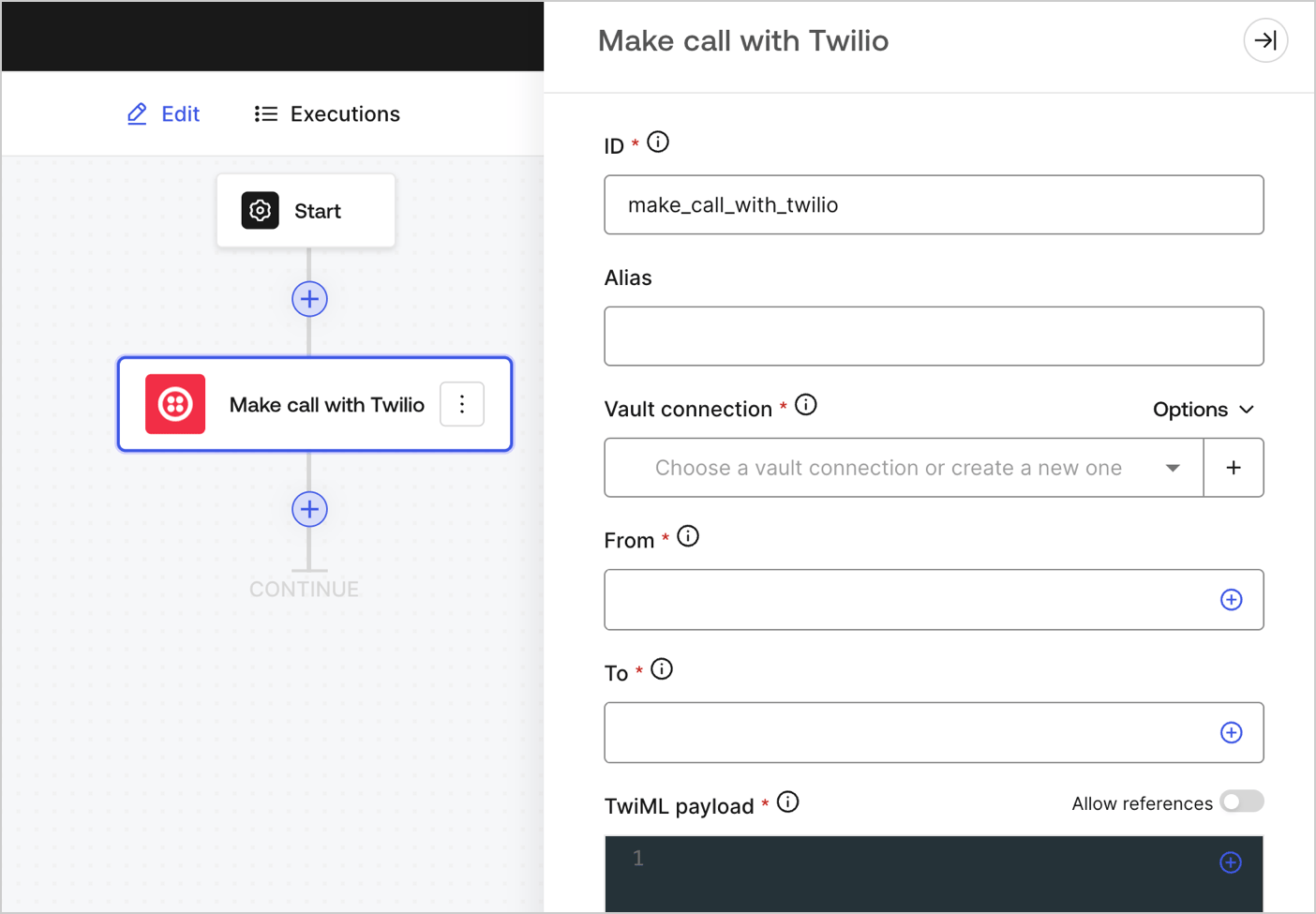 ### Paramètres de saisie
| Paramètre | Description |
| -------------------------------- | ------------------------------------------------------------------------------------------------------------------------------------------------------------- |
| De (obligatoire) | Votre numéro de téléphone Twilio. Le code du pays doit être inclus. Exemple : +18005550175, 1 étant le code pour les États-Unis. |
| À (obligatoire) | Le numéro de téléphone de destination indiqué dans le [format E.164](https://en.wikipedia.org/wiki/E.164). |
| Charge utile TwiML (obligatoire) | Les instructions TwiML pour votre message vocal.
### Paramètres de saisie
| Paramètre | Description |
| -------------------------------- | ------------------------------------------------------------------------------------------------------------------------------------------------------------- |
| De (obligatoire) | Votre numéro de téléphone Twilio. Le code du pays doit être inclus. Exemple : +18005550175, 1 étant le code pour les États-Unis. |
| À (obligatoire) | Le numéro de téléphone de destination indiqué dans le [format E.164](https://en.wikipedia.org/wiki/E.164). |
| Charge utile TwiML (obligatoire) | Les instructions TwiML pour votre message vocal.
Pour en savoir plus, lisez [la documentation TwiML de Twilio](https://www.twilio.com/docs/voice/twiml). |
### Paramètres de sortie
Vous trouverez tous les codes d’état attendus dans la [documentation de Twilio](https://www.twilio.com/docs/voice/twiml).